

Private inventory for sensitive valuables
Document what matters. Prove what you own.
Safe deposit boxes, home safes and valuables in one app: photos, receipts, serial numbers and password-protected PDF reports — for insurance claims, estate planning and family handovers.
- Multiple safes and vaults in one place
- Complete activity history for every visit
- Detailed PDF reports with optional password
- Face ID, auto-lock and screenshot blur
- iCloud Sync can be disabled during onboarding or in settings

Features
Everything between value and proof.
Fast enough for daily life, thorough enough for structured proof and estate planning.
Multiple safes & vaults
Bank safe deposit boxes, home safes and other storage — kept separate, with provider, address, vault number and photos.
Catalogue every valuable
Jewelry, watches, precious metals, cash, crypto records, art, important documents — value, purchase date, serial, receipts stay attached.
Complete activity history
Deposits, removals, modifications and notes are logged automatically — useful for proof and estate planning.
Password-protected PDF reports
Detailed reports per safe or for everything — photos, receipts and history included. Optional password protection.
Face ID & auto-lock
Biometric unlock on every launch. Auto-locks the moment the app moves to background.
Screenshot blur
Sensitive content is automatically obscured during screen recording and screenshots.
Captured fast. Documented clearly.
Five screens that show how a complete inventory comes together.
-
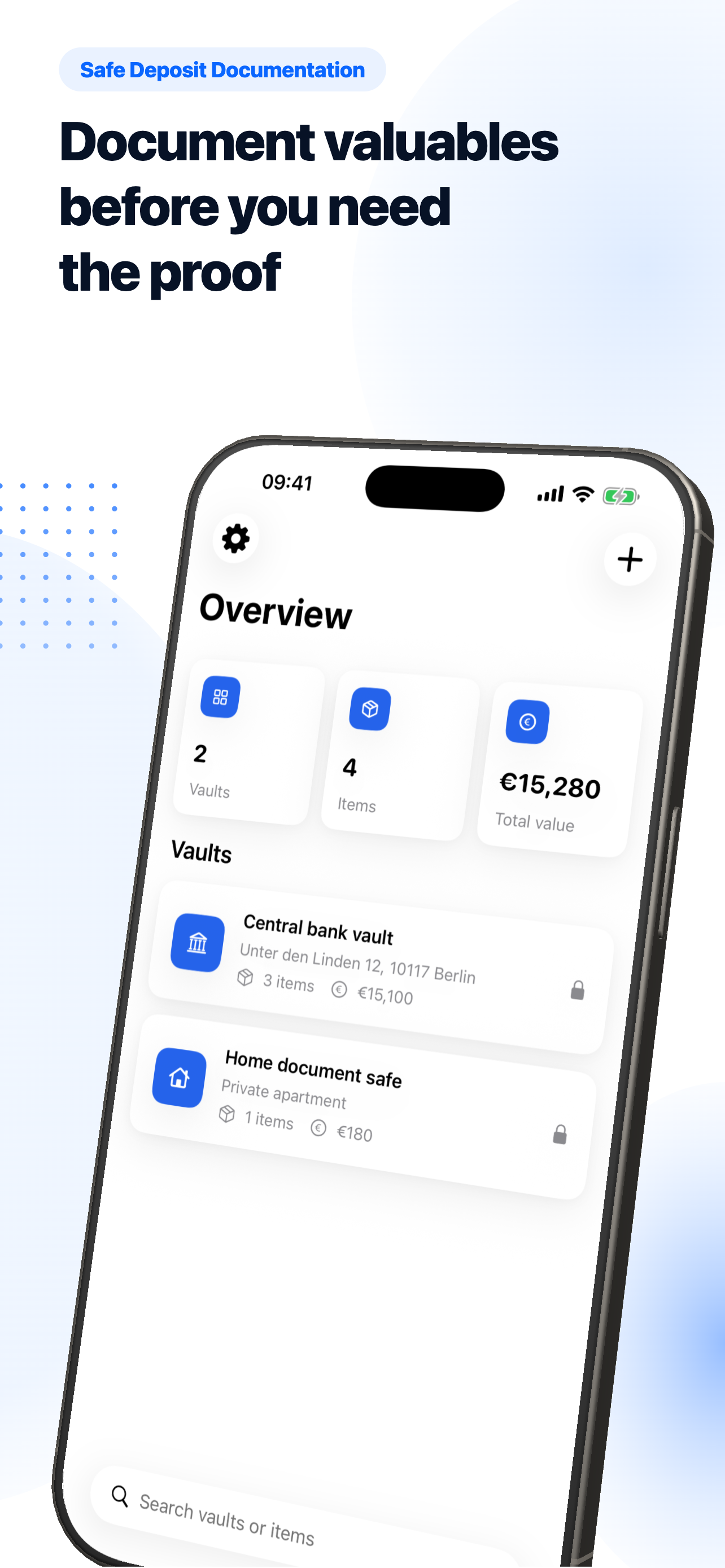
Manage every safe and vault in one place
-
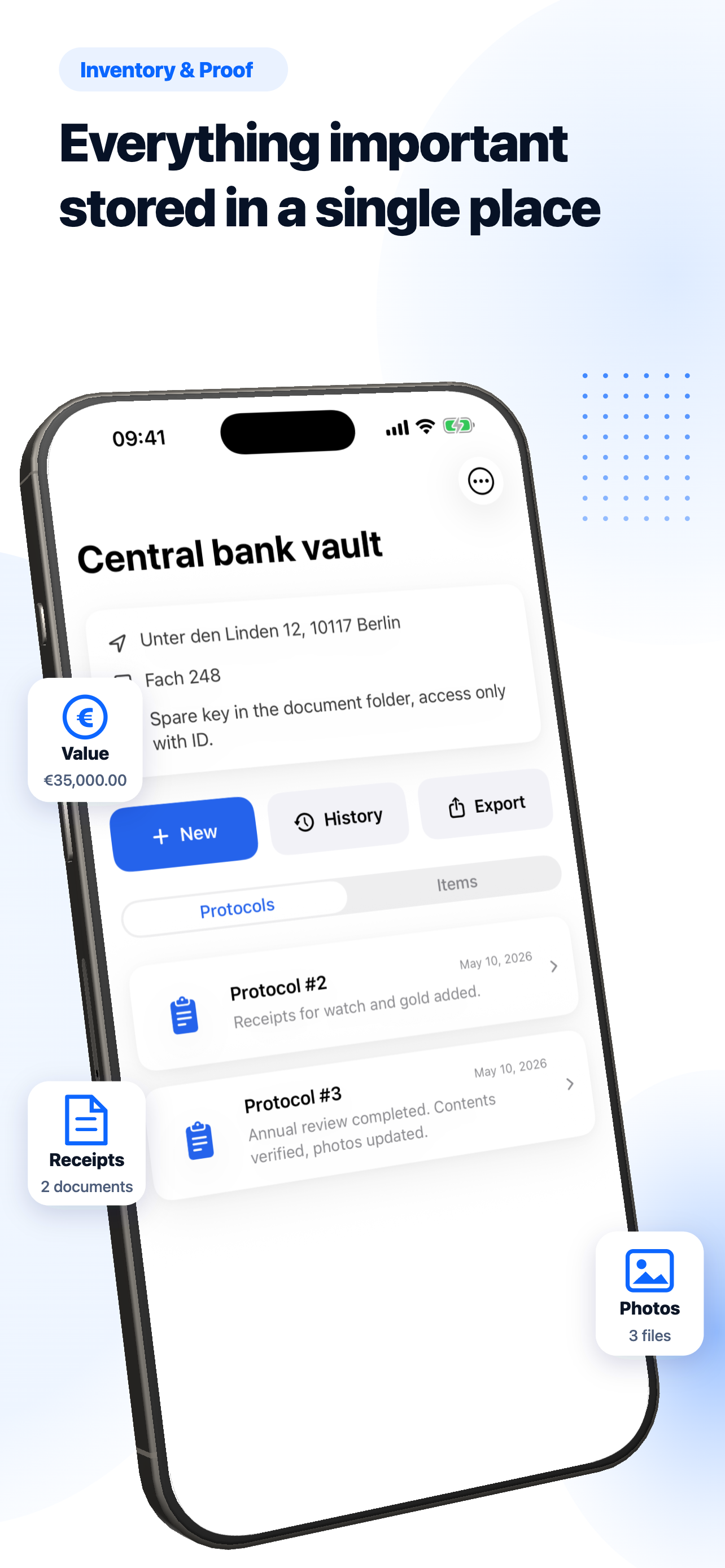
Inventory with photos and receipts
-
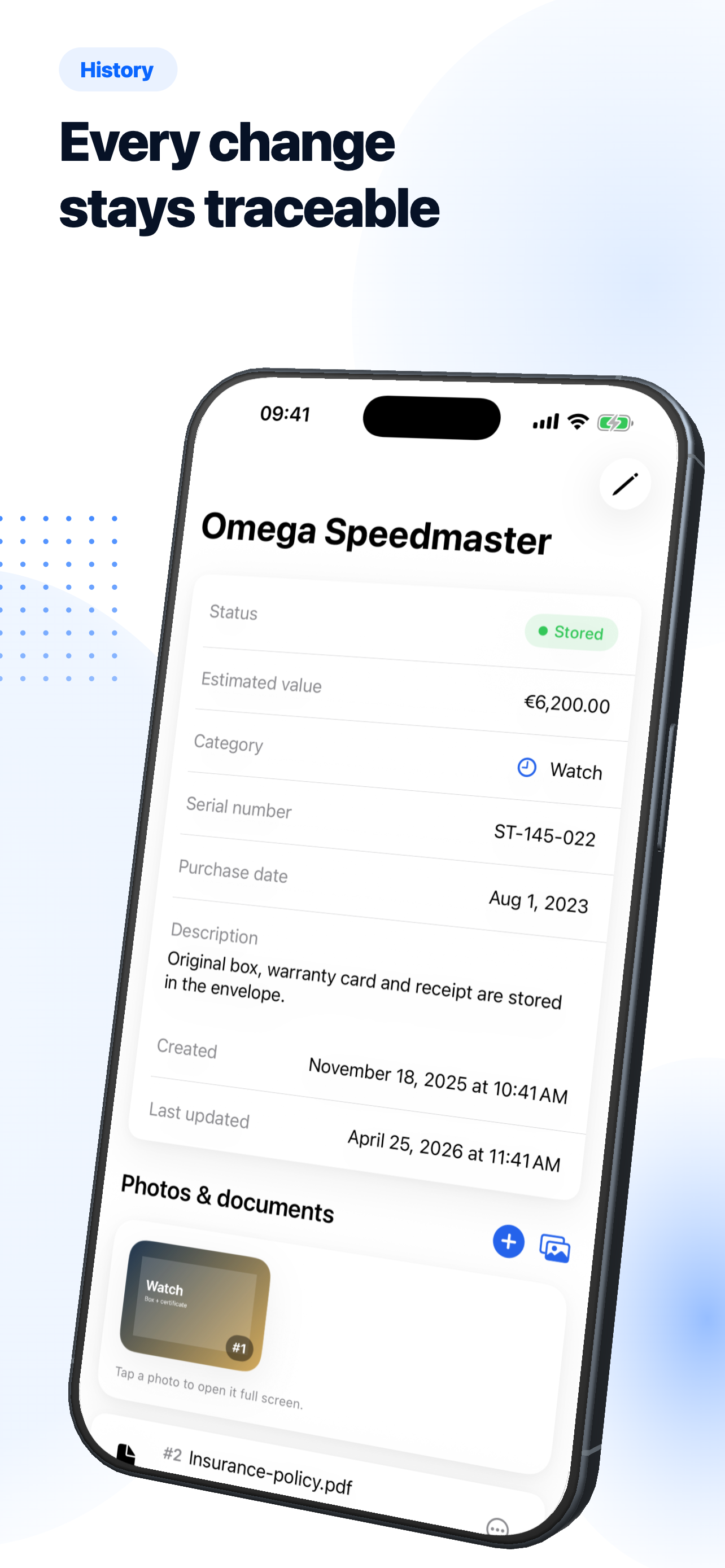
Complete activity history for every visit
-
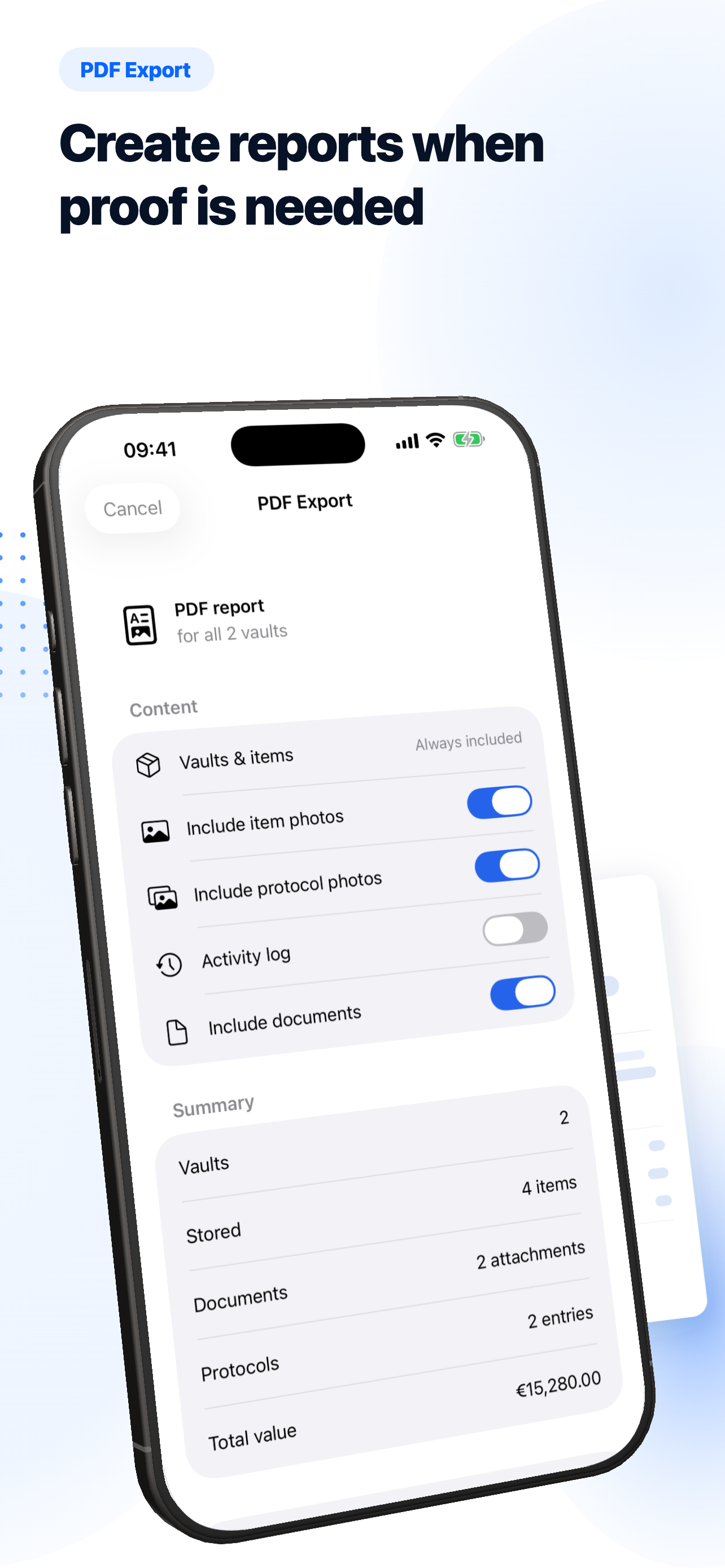
Export detailed PDF reports
-
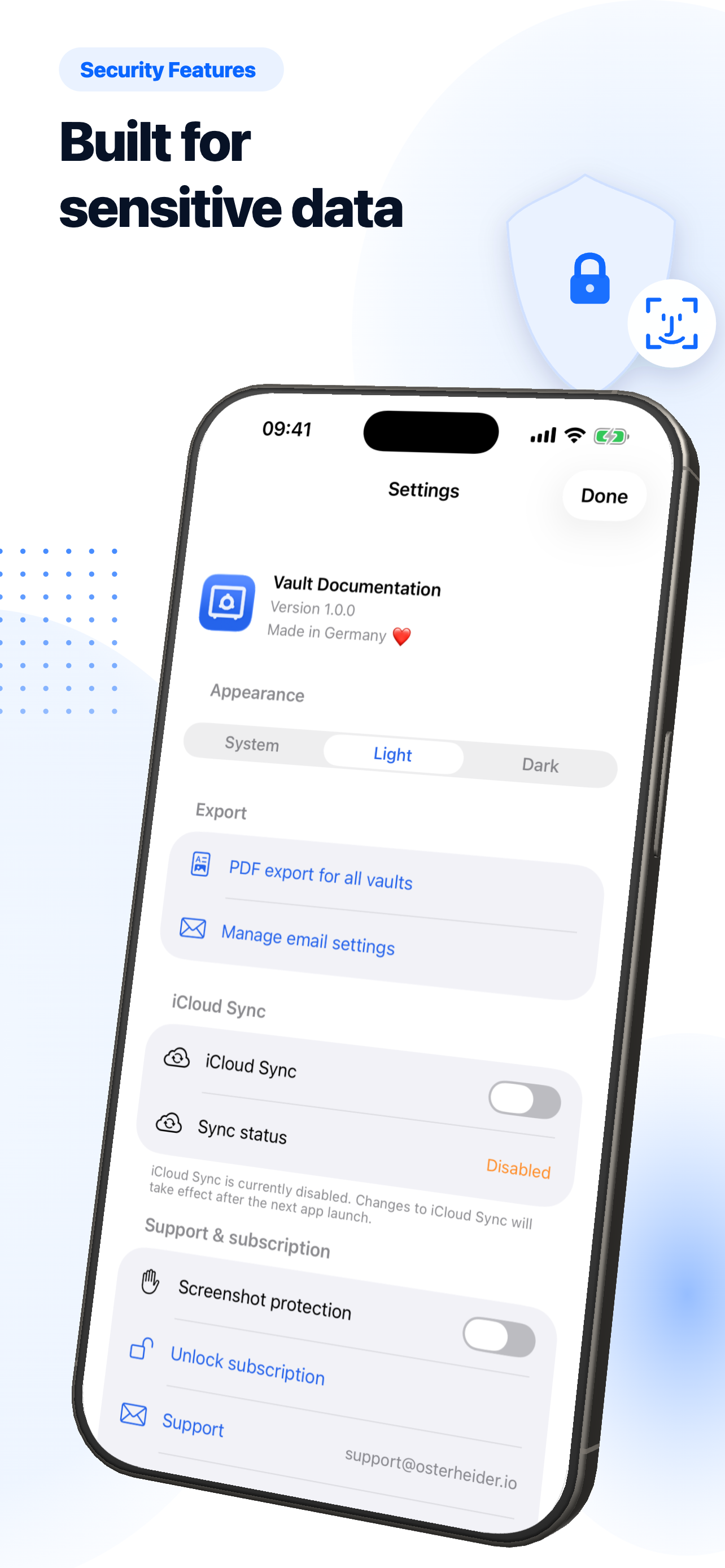
Face ID, auto-lock, screenshot blur


Use cases
Built for the moments that matter.
Safe deposit box
Document the contents, value and access history of every safe deposit box you hold.
Read more →Insurance claims
PDF exports can help assemble photos, receipts and values as supporting evidence.
Read more →Estate planning
Heirs see clearly what is stored where and which proofs belong to each item.
Read more →Learn
Latest from the blog
Photographing valuables for insurance — best practices
How to photograph valuables so the photos hold up in a claim or estate: lighting, background, scale, serial numbers, multiple angles.
3 min readHome safe vs. safe deposit box: cost, security, convenience
Home safe vs. safe deposit box compared in detail: security, ongoing cost, insurance sublimits, access, convenience. With recommendations for typical wealth profiles.
3 min readWatch collection: insurance, value tracking, theft protection
How to insure a watch collection properly, track values regularly, and protect from theft — with photo standards, sublimits, and safe storage.
3 min readFrequently asked questions
What is Vault Documentation for?
For anyone storing valuables in a safe deposit box, home safe, or similar protected location who needs a clear, photo-backed record — for insurance claims, estate planning, or personal organisation.
Where is my data stored?
All inventory data is stored locally on the device using SwiftData. iCloud Sync is optional and uses Apple CloudKit when enabled.
Are my actions tracked or analysed?
The app contains no analytics, tracking, or advertising SDKs. The website only uses cookieless, self-hosted Umami Analytics for aggregated page views and key CTA clicks.
Can I share reports with my insurer or attorney?
Yes. The app generates detailed PDF reports per safe or across all safes. These exports can help create evidence; exact requirements should be discussed with your insurer, storage provider, or attorney.
How much does it cost?
Vault Documentation is free. The full feature set is available without an in-app purchase or paid unlock.
Document what matters. Prove what you own.
Vault Documentation is free to use: full functionality, stored locally, optional iCloud Sync, with no ad tracking.